
Screenshots


Introduction
Wikipedia Beta is the experimental version of the renowned Wikipedia app developed by the Wikimedia Foundation, designed for Android users. This app allows you to experience upcoming features before they are officially released, enabling you to provide valuable feedback for further enhancements. With version 50589-beta-2026-05-26, users can install Wikipedia Beta alongside the standard Wikipedia app, making it a unique opportunity for avid learners and contributors to help shape the future of this beloved information resource.
Graphics & Gameplay
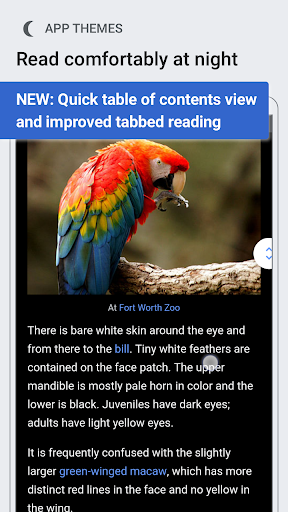
The visuals of Wikipedia Beta are sleek and user-friendly, presenting a modern interface that complements the vast database of knowledge it offers. The home screen features a dynamic 'Explore feed' that showcases recommended articles, current events, and trending topics. This feed is customizable, allowing users to arrange content according to their preferences. The app offers three color themes—Light, Dark, and Black—which enhance readability and provide a comfortable reading experience regardless of the lighting conditions.
In addition to the attractive layout, the app is designed with straightforward navigation in mind. Users can swipe left to access a table of contents for articles, making it easy to jump between sections. High-resolution image galleries allow users to view images in full screen, providing an immersive experience. Overall, the graphics are clean, intuitive, and conducive to an enjoyable browsing experience.
Key Features
- Explore Feed: A constantly updating feed on the home screen provides access to recommended articles, trending topics, and historical events.
- Customizable Color Themes: Choose between Light, Dark, and Black themes to suit your personal reading preference.
- Voice-Integrated Search: Easily locate articles using a prominent search bar with voice-enabled functionality.
- Language Support: Switch seamlessly between multiple languages, enhancing accessibility for users worldwide.
- Link Previews: Preview articles without losing your original reading position, enhancing multitasking capabilities.
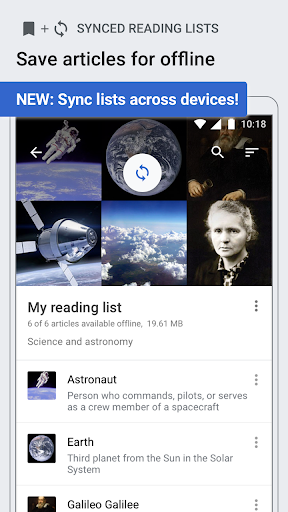
- Reading Lists: Organize articles into customizable lists for easy access, even when offline.
- Image Gallery: Enjoy high-resolution images full-screen with swipe options for browsing.
- Definitions from Wiktionary: Quickly access definitions of highlighted words, enriching your reading experience.
- Places Feature: View articles as markers on a map, convenient for geographical exploration.
Mod Features
- Premium Unlocked: Enjoy all features without any restrictions, including exclusive content and advanced customization options.
- No Ads: Experience uninterrupted browsing with the removal of all advertisements.
- Unlimited Money: Access unlimited resources to create and manage your reading lists, enhancing your research capabilities.
- Advanced Analytics: Gain insights into your reading habits and preferences, allowing for a more tailored experience.
- Custom Themes: Unlock additional themes and customizations beyond the standard options available.
How to Install APK on Android
Installing the Wikipedia Beta APK on your Android device is a straightforward process. Follow these steps to get started:
- Download the APK: Click on the following link to download the Wikipedia Beta APK: Download Wikipedia Beta APK.
- Enable Unknown Sources: Go to your device's settings, navigate to 'Security', and enable 'Unknown Sources' to allow the installation of apps from sources other than the Google Play Store.
- Locate the APK: Use a file manager to find the downloaded APK file, typically located in your 'Downloads' folder.
- Install the App: Tap on the APK file and follow the on-screen instructions to install Wikipedia Beta.
- Open the App: Once installed, open the app from your app drawer and start exploring the new features!
Conclusion
Wikipedia Beta is an innovative and user-friendly application that enhances the way users interact with the vast information available on Wikipedia. With its customizable features, intuitive navigation, and active feedback loop, it represents a significant improvement over the traditional app. Whether you are a casual reader or a dedicated contributor, this beta version offers a glimpse into the future of knowledge-sharing on mobile devices. Don't miss out on the opportunity to be part of this exciting development!
Ready to dive into the world of knowledge? Download Wikipedia Beta now and start exploring!